Eye Care Eye Care logo Protect your vision

A free Chrome extension for digital eye strain relief. Blocks your screen on a schedule and guides a short, evidence-based eye routine built around the 20-20-20 rule.

Add to Chrome — it's free
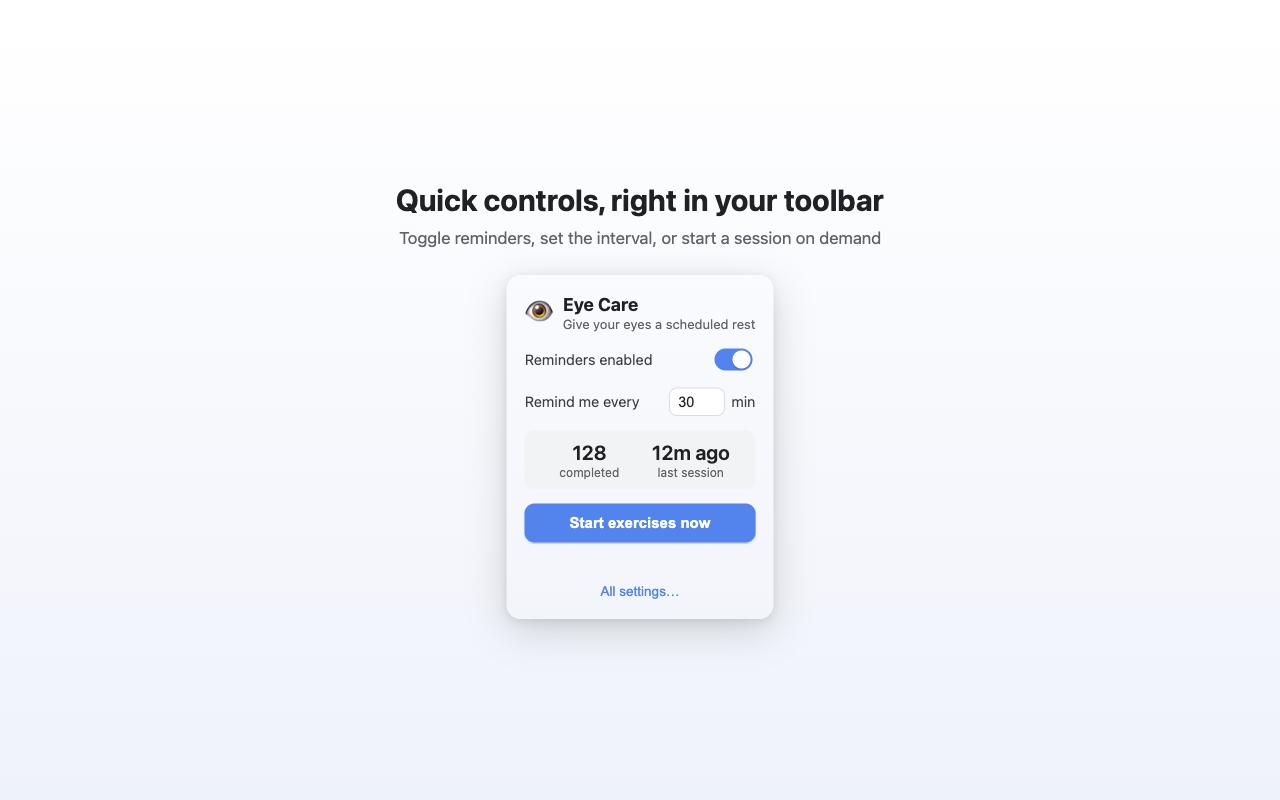
Eye Care toolbar popup with reminder toggle and interval
Quick controls in your toolbar
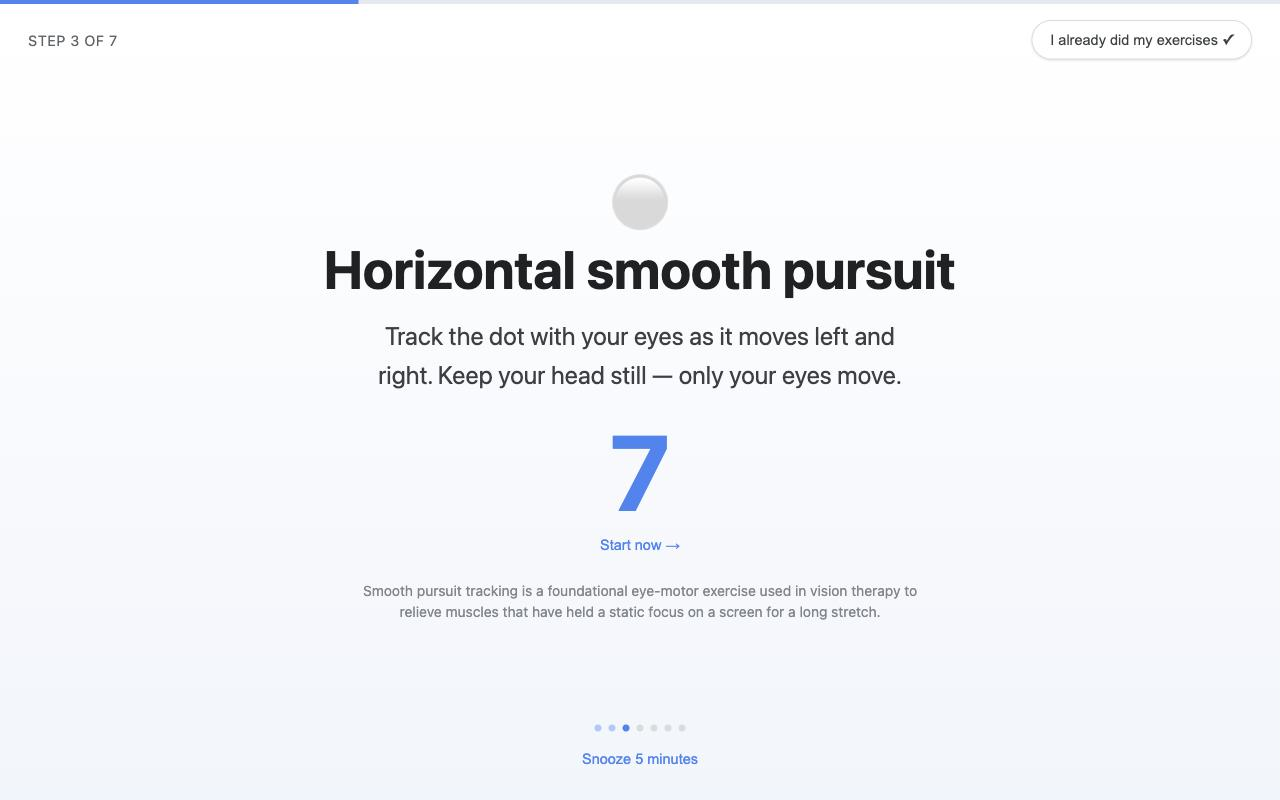
Eye Care full-screen eye exercise overlay
A break you can't casually skip
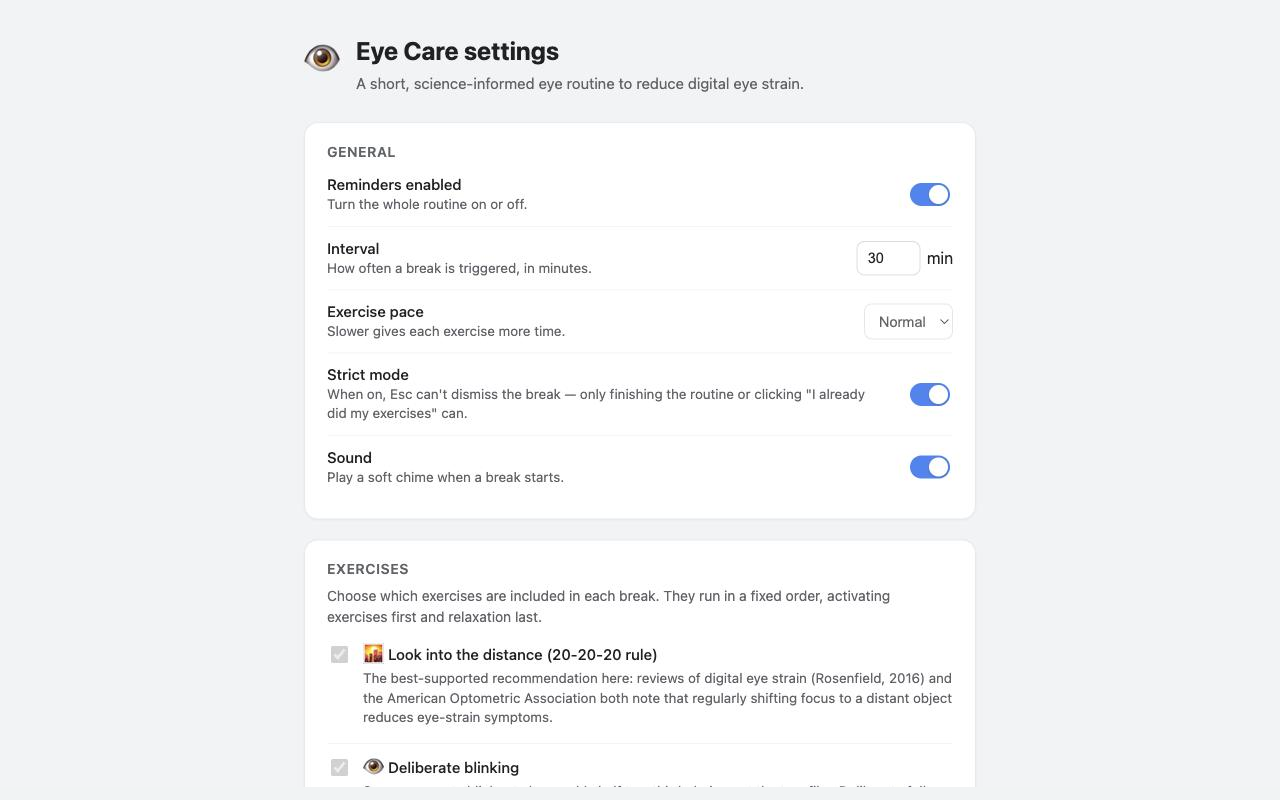
Eye Care settings page with 20-20-20 rule and exercise options
Full control over every setting

What it does

Reminds you, for real

A full-screen overlay you can't casually click away — it stays up until you finish the routine or confirm you already did it.

7 exercises, honest evidence

20-20-20 rule, deliberate blinking, focus shifts, smooth pursuit, palming — each with a plain note on what science actually backs it.

Fits how you work

5–180 minute interval, adjustable pace, strict mode, snooze, and control over exactly which exercises run.

100% local

No account, no server, no analytics. Your settings and stats never leave your browser.

Why digital eye strain happens

Staring at a screen drops your blink rate by roughly half and locks your eyes at a fixed focal distance for long stretches — the two biggest drivers of digital eye strain (also called computer vision syndrome). Symptoms show up as dryness, blurred vision, headaches, and eye fatigue after long work or study sessions.

Eye Care is a lightweight Chrome extension that treats the cause, not just the symptom: on a schedule you set (5–180 minutes), it blocks the screen with a full-screen reminder and walks you through a short routine — starting with the 20-20-20 rule (look at something 20 feet away for 20 seconds), then deliberate blinking, near/far focus shifts, and guided eye-movement exercises. Each exercise notes plainly what evidence actually backs it, so you're not guessing.

Unlike generic timer or screen-lock extensions, Eye Care is purpose-built for eye health: it runs entirely in your browser, stores nothing on a server, and never collects analytics or personal data — the reminder logic and your settings never leave your machine.

Frequently asked questions

What is the 20-20-20 rule for eye strain?

Every 20 minutes, look at something at least 20 feet away for 20 seconds. Eye Care enforces this automatically with a full-screen reminder, so you don't have to remember it yourself.

How do I stop my eyes from hurting from screen time?

Regular short breaks are the best-supported way to reduce digital eye strain: look at a distant object (the 20-20-20 rule), blink deliberately since screen focus reduces blink rate, and periodically shift focus between near and far objects. Eye Care runs this routine for you on a timer.

Is Eye Care free to use?

Yes. Eye Care is free on the Chrome Web Store with no account, subscription, or in-app purchases.

Does Eye Care collect or sell my data?

No. Eye Care has no server and no analytics. Your settings and stats are stored locally in your browser via chrome.storage and never leave your device.

Can I snooze or skip a break?

Yes, by default. You can snooze a break for a few minutes or dismiss it once you confirm you've already done your exercises. Strict mode can be enabled in settings to disable early dismissal for a stronger reminder.

Which browsers does Eye Care support?

Eye Care is a Manifest V3 extension built for Chrome and other Chromium-based browsers, distributed through the Chrome Web Store.

Ready to give your eyes a break?

Free, private, and one click away — no account required.

Add to Chrome — it's free